
Earnings
Your finances, tax-ready.
Earnings is a privacy-first iOS and macOS app that turns your bank statements into a complete, tax-ready financial picture. Import PDFs, CSV, and XLSX statements, auto-categorize transactions with on-device ML, reconcile running balances, and generate tax reports - all without your data ever leaving your device.
Coming Soon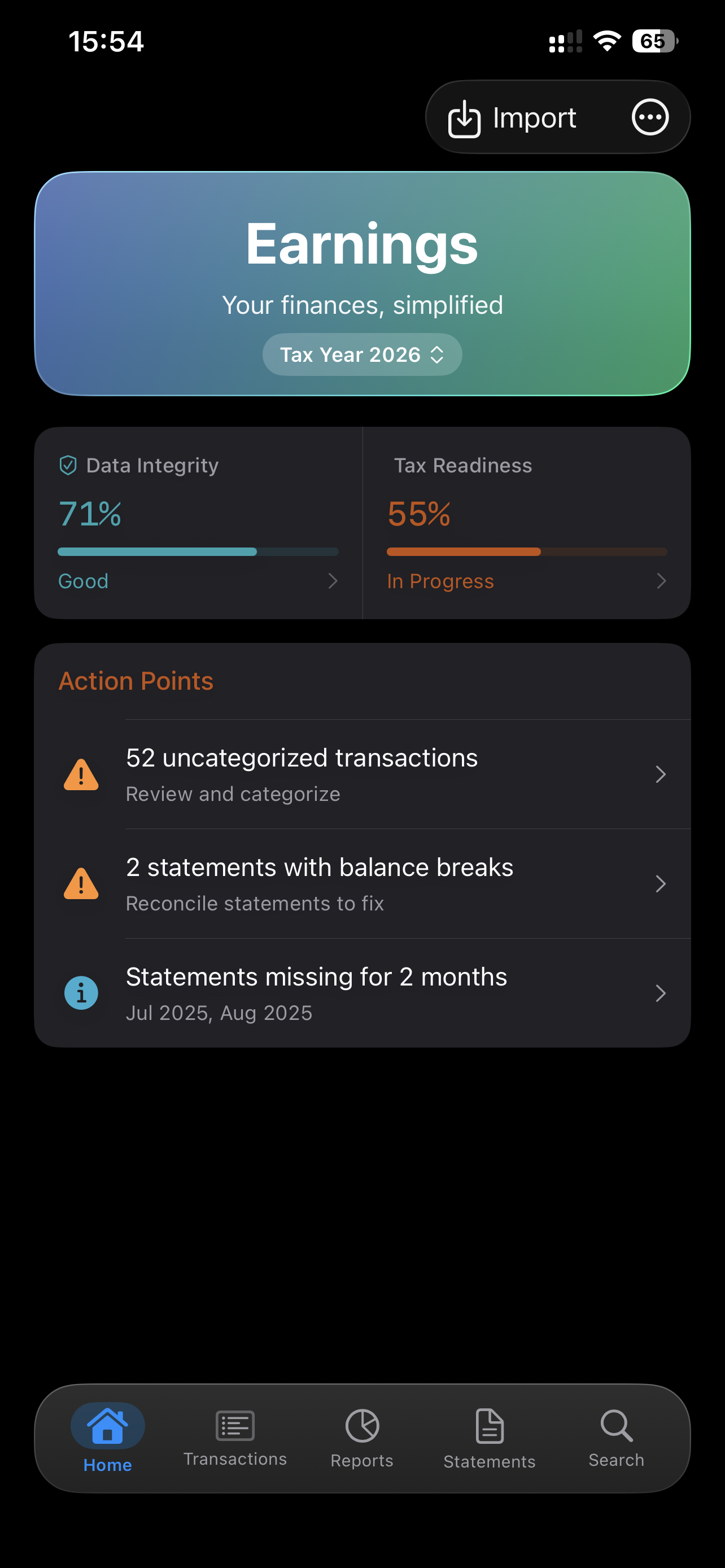
Features
Import
Smart Statement Import
Import bank statements as PDF, CSV, and XLSX. Earnings auto-detects your bank format and parses the full transaction table with no setup required.
Multi-Format Support
Supports PDF, CSV, and XLSX statements from major Indian banks. Handles password-protected PDFs with an inline unlock prompt.
Duplicate Detection
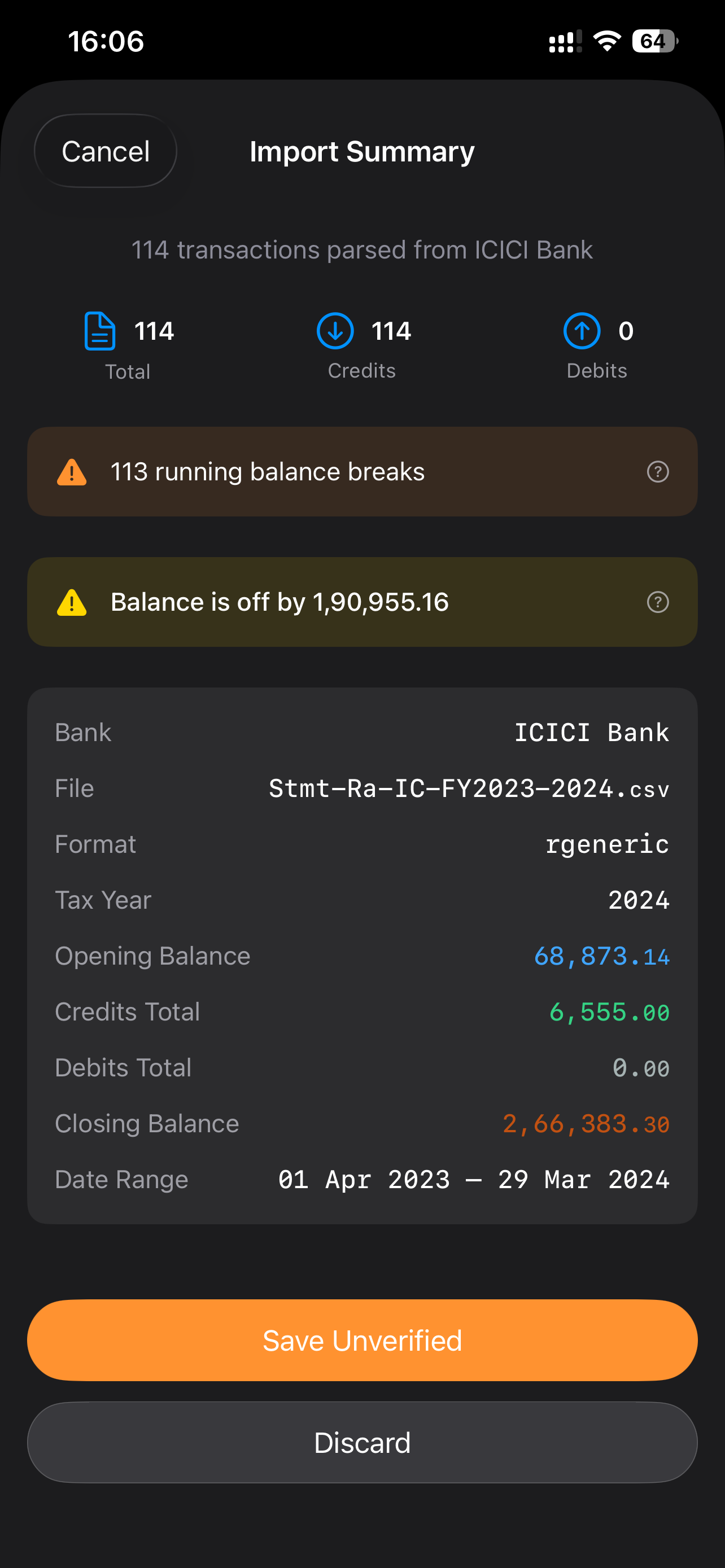
Already imported a statement? Earnings flags duplicate transactions before they're saved - same date, amount, and description within a 3-day window surface a warning.
Balance Verification
After parsing, Earnings cross-checks the running balance for discontinuities and flags the import as Unverified if rows are missing or spurious.
Categorization
Tax-Ready Categories
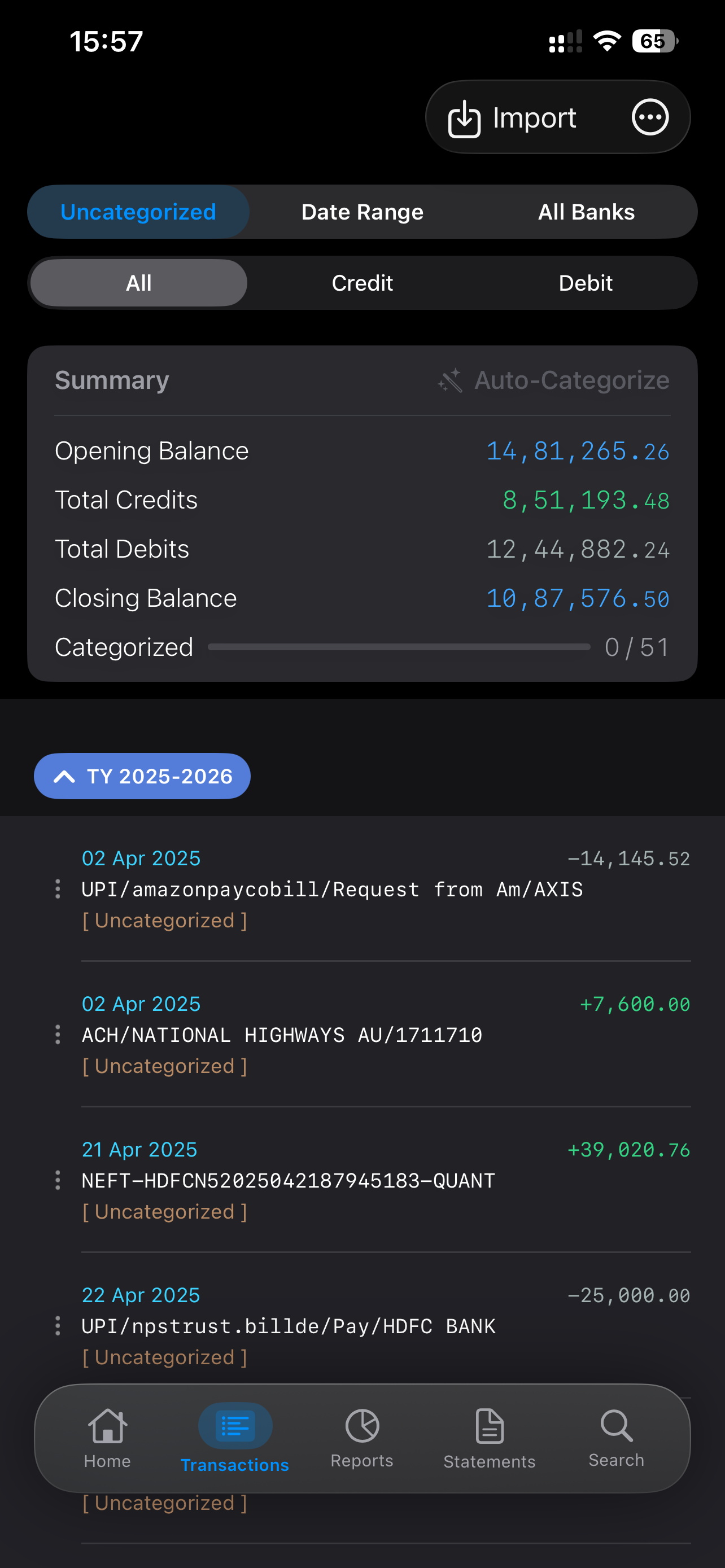
Every transaction maps to an Income Tax Department category - professional receipts, business expenses, capital gains, or tax-free income - so your data is ITR-ready from day one.
On-Device ML Auto-Categorize
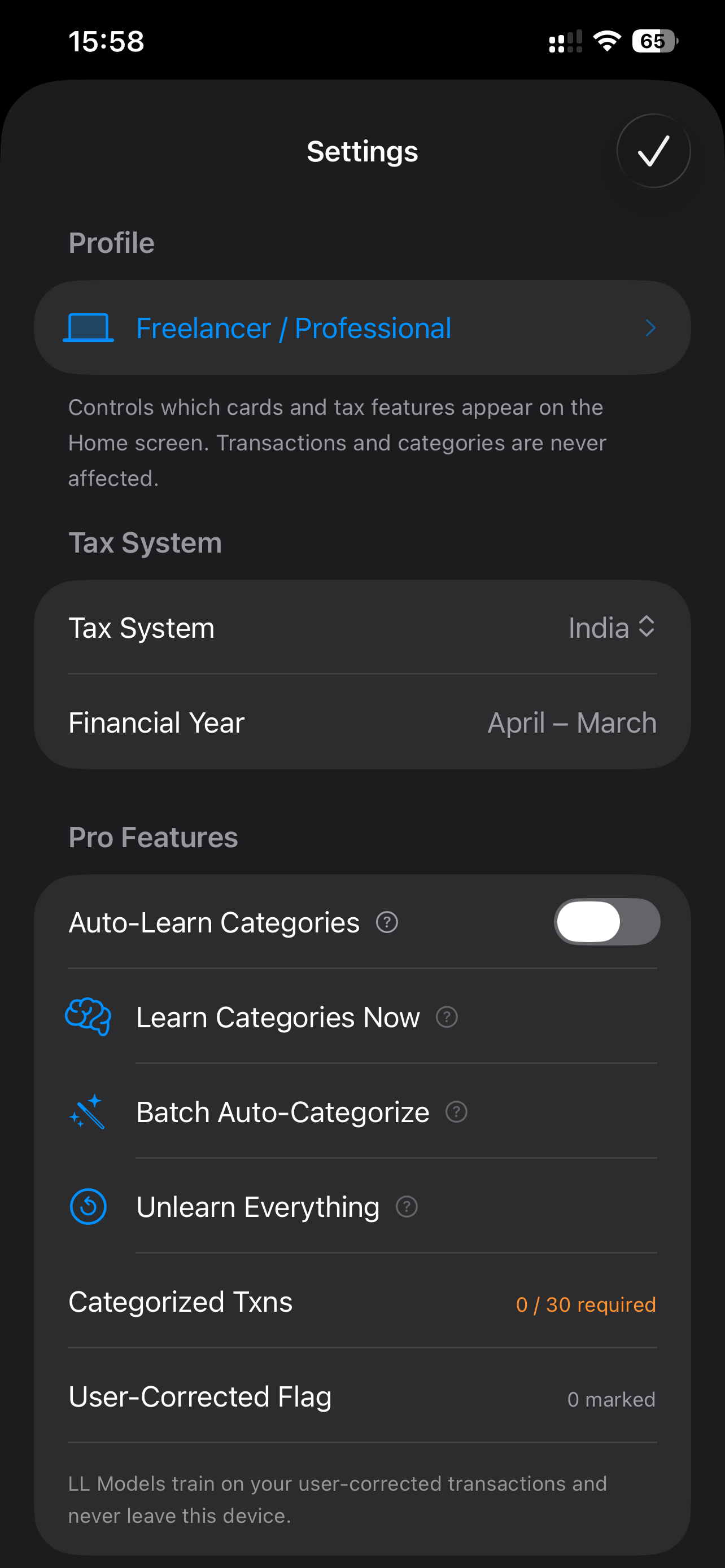
Earnings learns your corrections and trains a private classifier on your device. It suggests categories for new transactions with improving accuracy over time.
Manual Override
Override any suggestion with a tap. Your correction immediately becomes a training signal - no sync, no upload, no latency.
Reconciliation
Running Balance Reconciliation
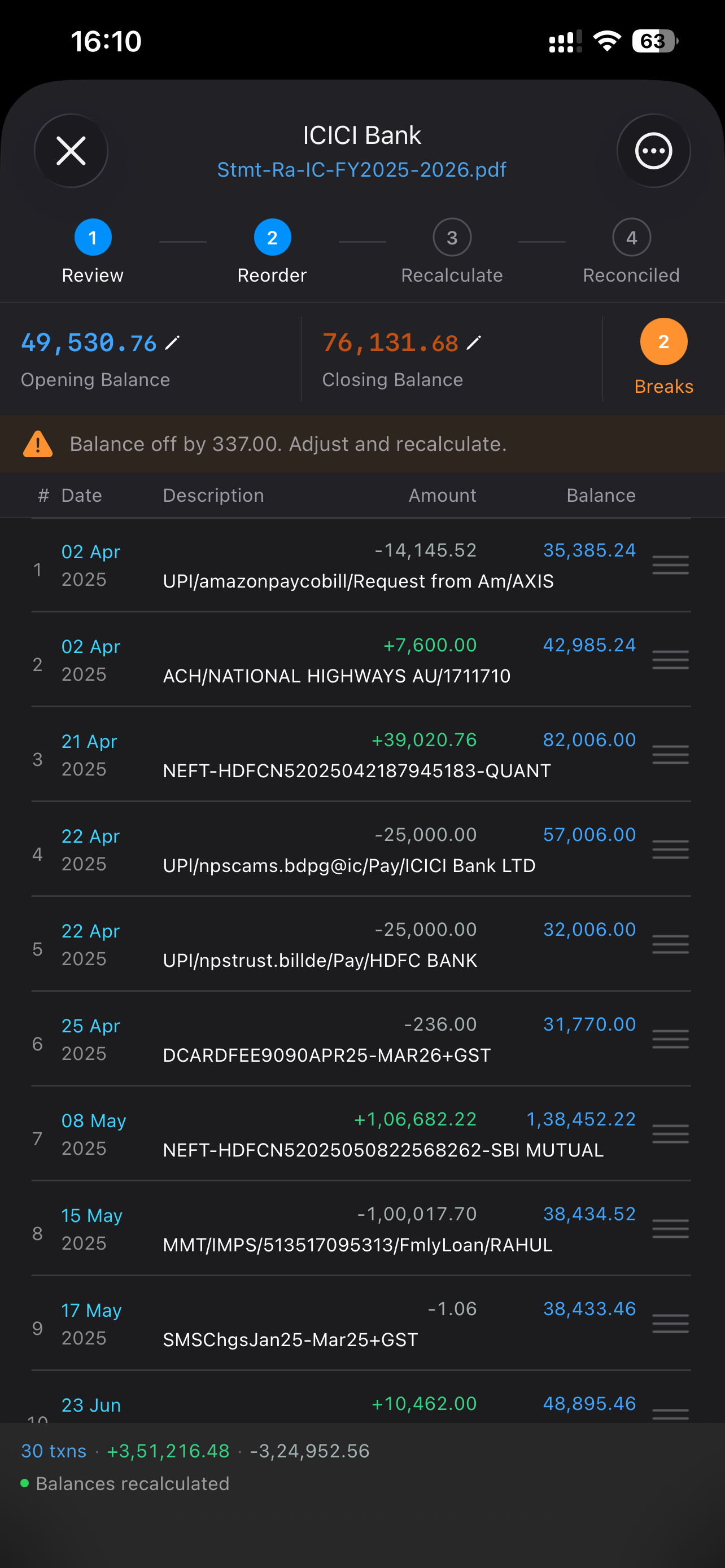
The reconciliation workspace shows the running balance in real time. Discontinuities are highlighted. Drag to reorder same-date transactions, edit amounts, or delete spurious rows until the balance is clean.
Opening / Closing Balance Snap
Snap the closing balance to the computed value, or back-calculate the opening balance from a reference closing balance - resolves common statement gaps in two taps.
Statement History
Every imported statement is logged with bank, date range, transaction count, and reconciliation status. Tap any statement to re-open the reconciliation workspace.
Tax Reports
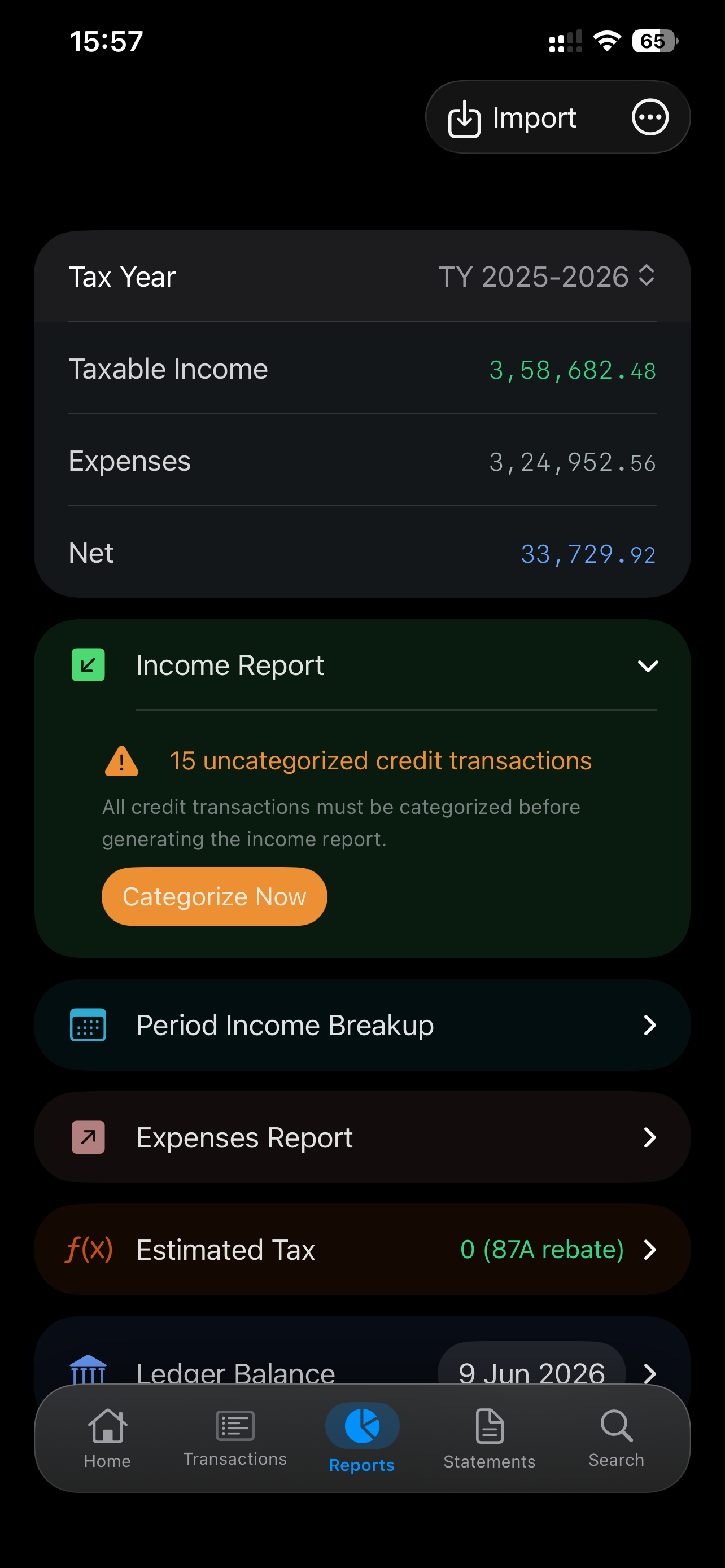
Estimated Tax Report
Earnings calculates your estimated income tax liability from categorized transactions, applies the applicable slab, and breaks out advance tax installments due.
Tax-Readiness Score
A live score shows how much of your transaction history is categorized and reconciled - so you know exactly where you stand before filing.
Tax Insights
Rules-engine insights surface actionable flags: presumptive income eligibility, cash receipts ratio warnings, receipts threshold proximity, and more.
Year-wise Reports
Switch tax years with a single tap. Reports, insights, and scores are all scoped to the selected tax year.
Privacy
Fully On-Device
All parsing, ML training, and report generation happen on your device. No transaction data is ever transmitted to a server.
Biometric Auth
Tax reports and exports require Face ID or Touch ID. Financial data is encrypted at rest with Keychain-managed keys scoped per tax year.
Encrypted iCloud Sync
Transactions sync across your iPhone and Mac through a private CloudKit container. Data is encrypted before it enters CloudKit.
Profile
Freelancer & Salaried Profiles
Choose your profile (Freelancer / Salaried / Hybrid) at setup. The rules engine, tax categories, and insights adapt to your income type automatically.
Data Integrity Score
A per-statement parsing confidence score shows how cleanly a format was extracted, flagging statements that may need manual review.
Ready to get started?
Try Earnings today.