
PrivLedge
Your finances • private, reconciled, tax-ready
PrivLedge is your private, offline passbook that brings all your bank accounts together in one app. Import PDF, CSV, and XLSX statements to see balances, income, expenses, and activity across accounts at a glance. Review and categorize transactions, reconcile running balances, and keep a clear financial history without connecting to online banking or sending your financial data to any server. Optional Pro features add on-device learning and private iCloud sync.

Features
Import
No Bank Login
PrivLedge does not connect to your bank or ask for online-banking credentials. You choose statement files your bank has already provided and import them directly into the app.
PDF, CSV, and XLSX Import
Import PDF, CSV, and XLSX statements from supported bank formats. PrivLedge detects bundled formats automatically, can infer the columns in unfamiliar CSV and XLSX tables, and prompts inline for a password when a PDF is protected.
Try It With a Sample
Open the built-in Sample_Statement.csv from the fictitious Sample Bank and use the real import, categorization, reconciliation, and reporting flow. A banner identifies loaded sample data and provides a one-tap Delete action.
Review Before Saving
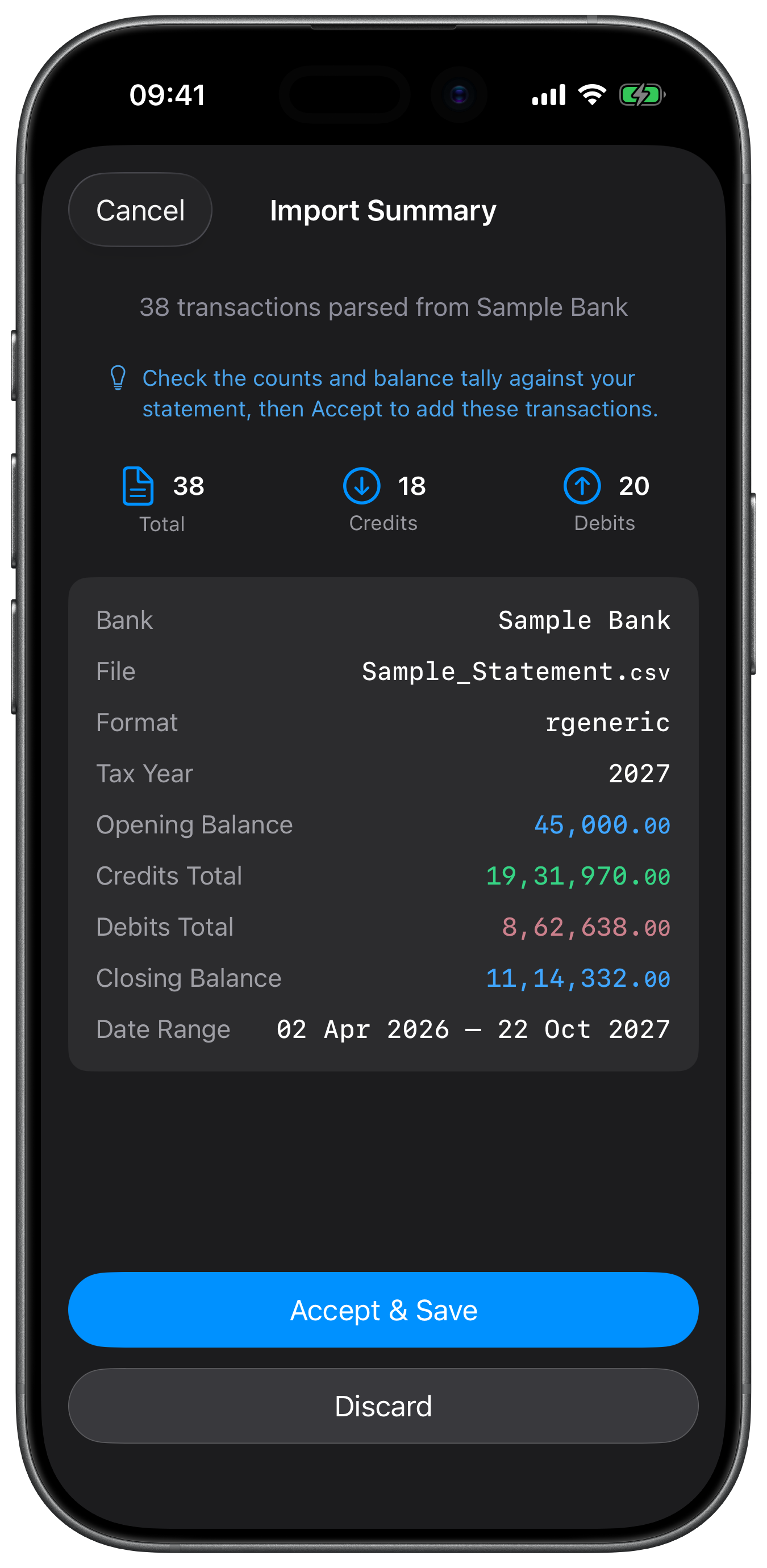
PrivLedge shows the parsed date range, row counts, credit and debit totals, balance checks, and parser version before anything is committed. When more than one credible interpretation is available, you can inspect the alternatives, then save or discard the import.
Duplicate Detection
Overlapping imports are matched within the same bank, and by account when an account identity is available. Matching uses the transaction day, amount, and type, prefers description-exact matches, and uses running balance to reject conflicts. Duplicate copies remain attached to their source statement for traceability but are suppressed from totals and reports.
Balance Verification
PrivLedge checks the opening balance, transaction totals, closing balance, and adjacent running-balance chain when the statement provides enough balance data. Mismatches and broken links are flagged for review instead of being silently accepted.
Categorization
Taxation Compatible Categories
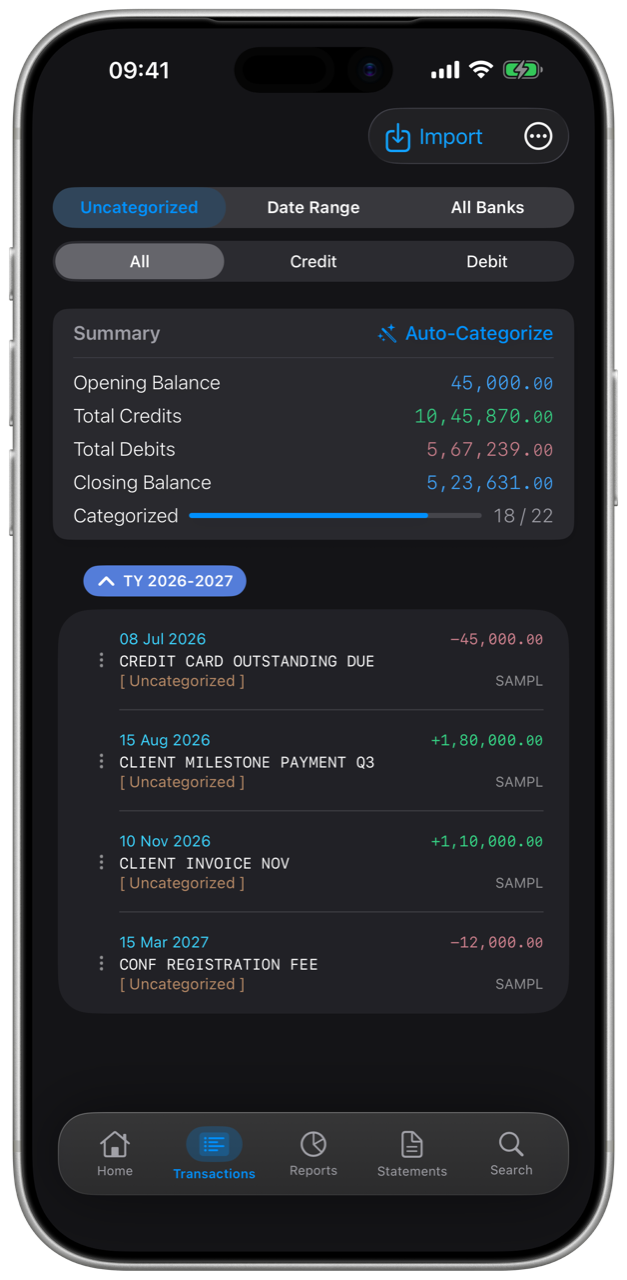
Organize income and expenses with taxation compatible two-level category system covering professional receipts, salary, rental income, investment liquidations, other income, tax-free receipts, business and personal expenses, taxes, liabilities, and internal transfers.
Custom Categories
Add, rename, reorder, and remove income or expense heads and sub-categories. Renaming a category updates the transactions that use it; deleting an in-use category is blocked and shows the affected transactions so existing records are not silently orphaned.
On-Device Auto-Categorize
PrivLedge Pro can train private Core ML classifiers from transactions you categorized yourself. After enough examples exist, Auto-Categorize proposes income or expense categories on-device and places the results in Pending Review rather than treating them as confirmed.
Corrections Stay Under Your Control
You can replace any suggested category before saving. A manual correction joins the local training pool; retraining happens when Auto-Learn is enabled or when you run Learn Categories Now. Accepting an untouched prediction does not train the model on its own output.
Reconciliation
Running-Balance Reconciliation
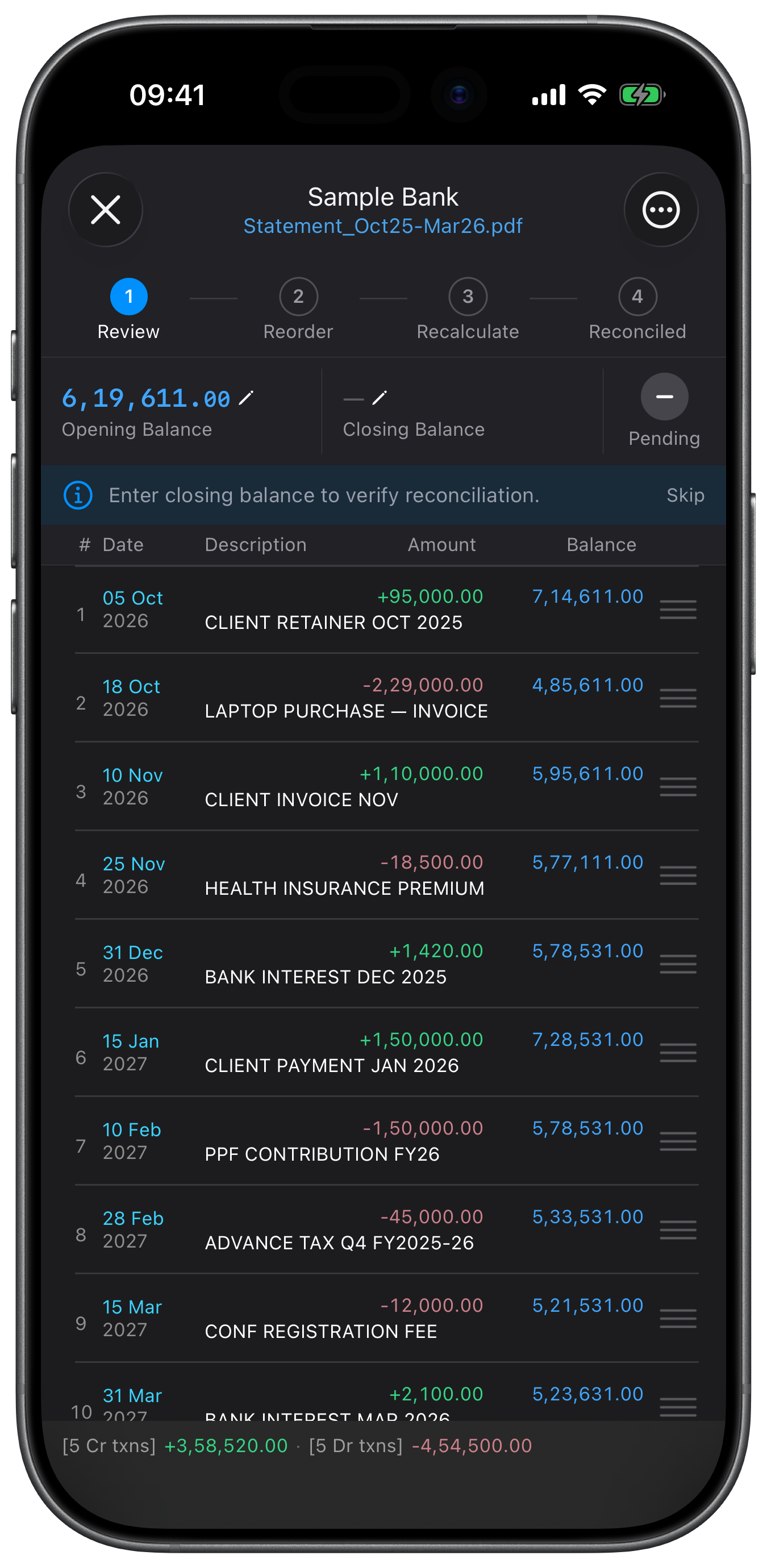
The reconciliation workspace shows each statement's source file and running-balance chain. It highlights breaks and lets you edit or delete rows, add a missing row, reorder same-day transactions, and recalculate balances from the opening balance.
Opening and Closing Balance Tools
Enter statement reference balances, use the previous statement's closing balance as a suggested opening balance, snap the reference closing balance to the computed result, or back-calculate the opening balance from a known closing figure.
Statement History and Source Preview
Each import records its bank, file name, date range, original row count, tax year, parser version, and reconciliation state. Reopen a statement with its preserved PDF, CSV, or XLSX source, or remove the statement and its transactions.
Tax Reports
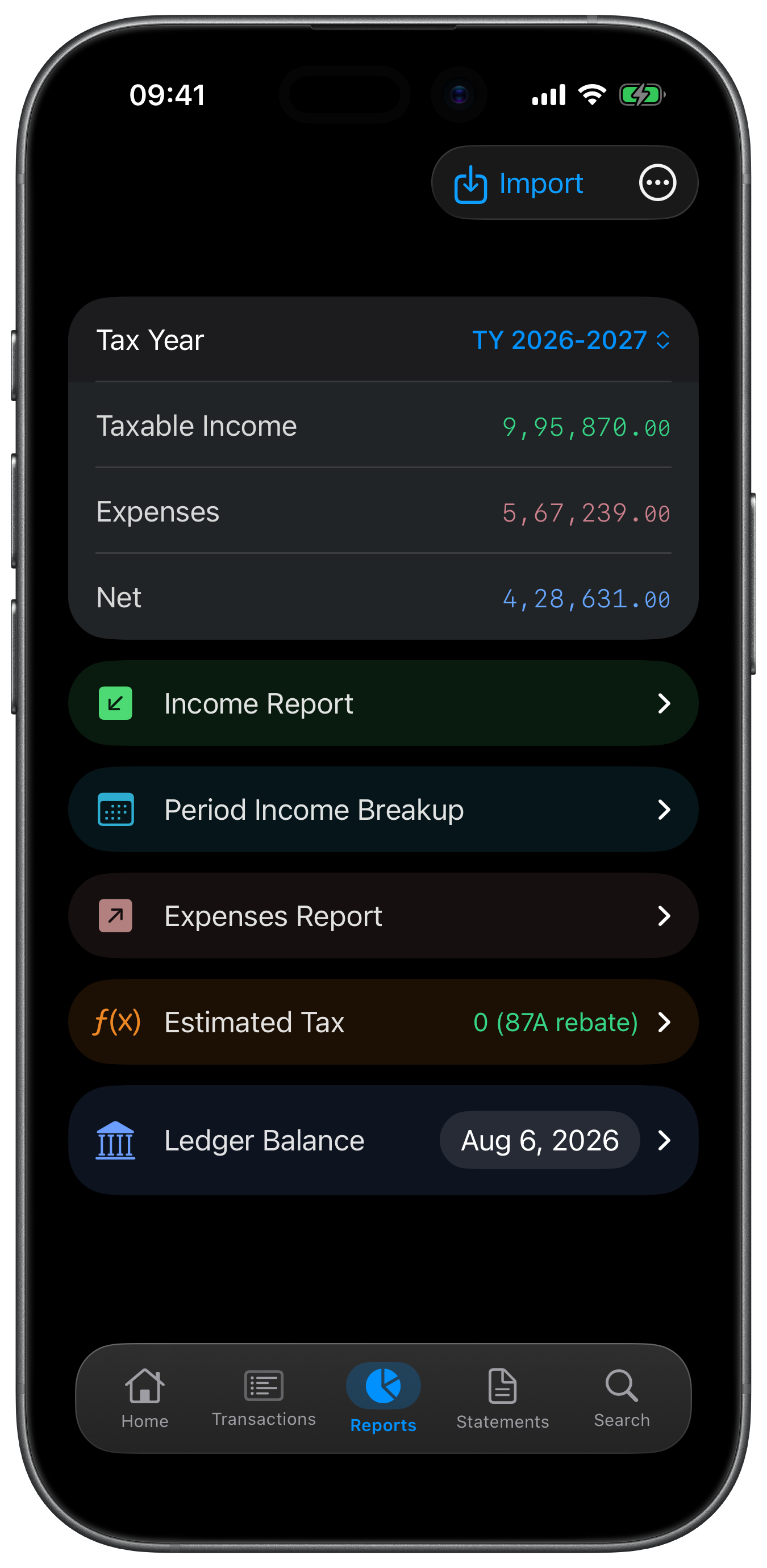
Estimated Tax Report
Estimate tax for the selected Indian tax year from categorized income using the app's supported new-regime slabs, applicable profile treatment, rebate, and cess. The report states its basis and exclusions; it is an estimate from imported data, not an official liability calculation, filing, or professional advice.
Period Income Breakup
View taxable income across the four advance-tax periods, filter it by income head and sub-category, see a running total, and export the full period matrix as CSV.
Income, Expense, and Ledger Reports
Review category and sub-category totals for income and expenses, inspect computed bank-ledger balances, and export the available report tables as CSV. Reports exclude suppressed duplicate copies and respect the selected tax year.
Data Integrity and Tax Readiness
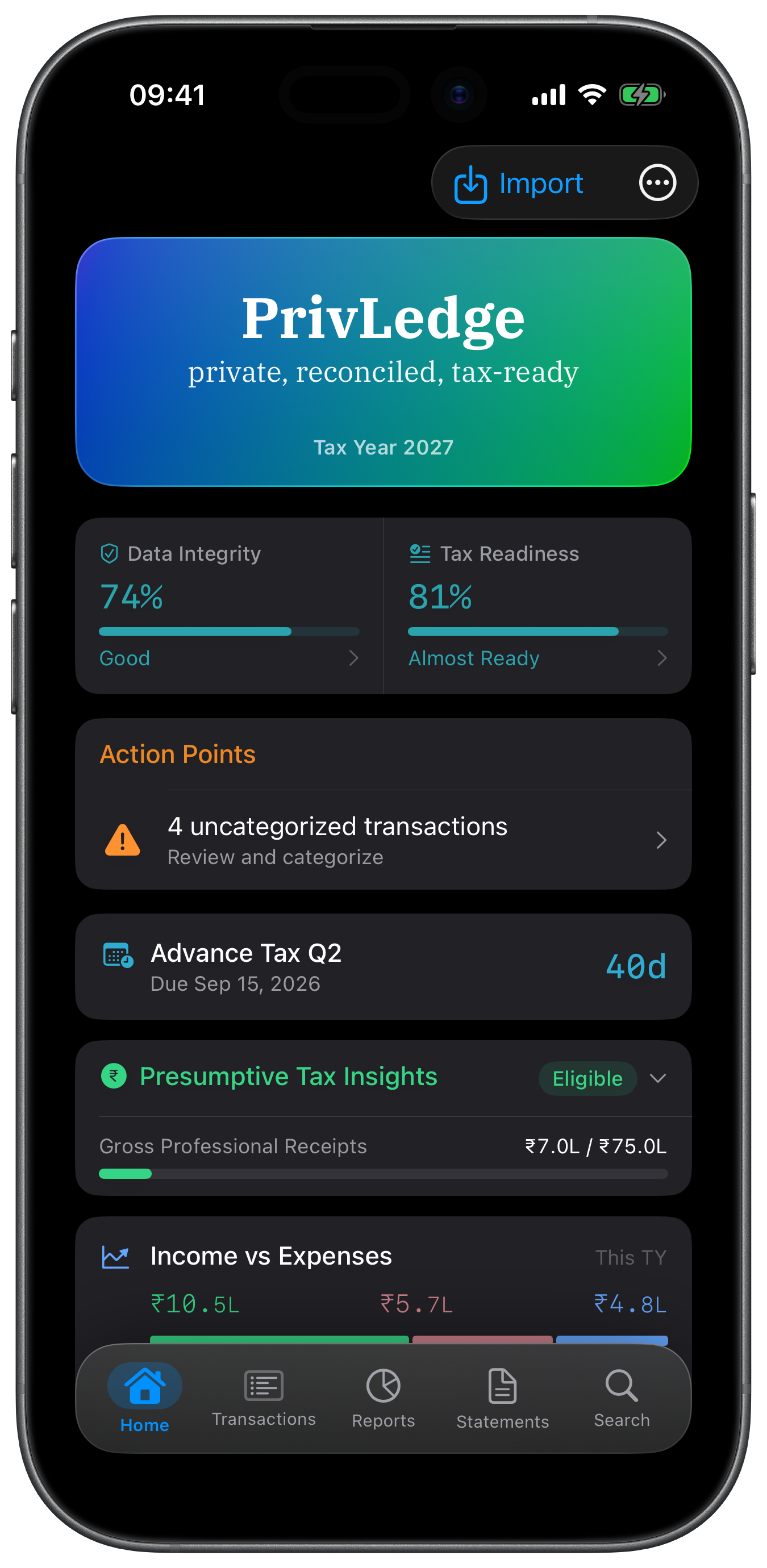
Two live scores summarize statement coverage, parsing confidence, opening balances, categorization, and reconciliation. Their detail views identify the dimensions that still need attention and link back to the relevant workflow.
Presumptive Tax Insights
For the Freelance Pro profile, rules-engine insights evaluate Section 44ADA eligibility, the professional-receipts threshold, the cash-receipts ratio, and a presumptive-tax estimate from the categorized transactions in the selected tax year.
Tax-Year Controls
Home, Statements, and Reports share a tax-year selector: tap a year for a temporary selection or long-press it to pin the default. Transactions provides its own tax-year filter, and statements spanning a fiscal-year boundary remain visible under every tax year they contain.
Privacy
On-Device by Default
Statement parsing, categorization models, reconciliation, and report generation run locally. Riant Studio operates no server for PrivLedge and receives no transaction data. Network access is limited to Apple services for StoreKit and, only when a Pro user enables it, private iCloud sync.
Optional App Lock
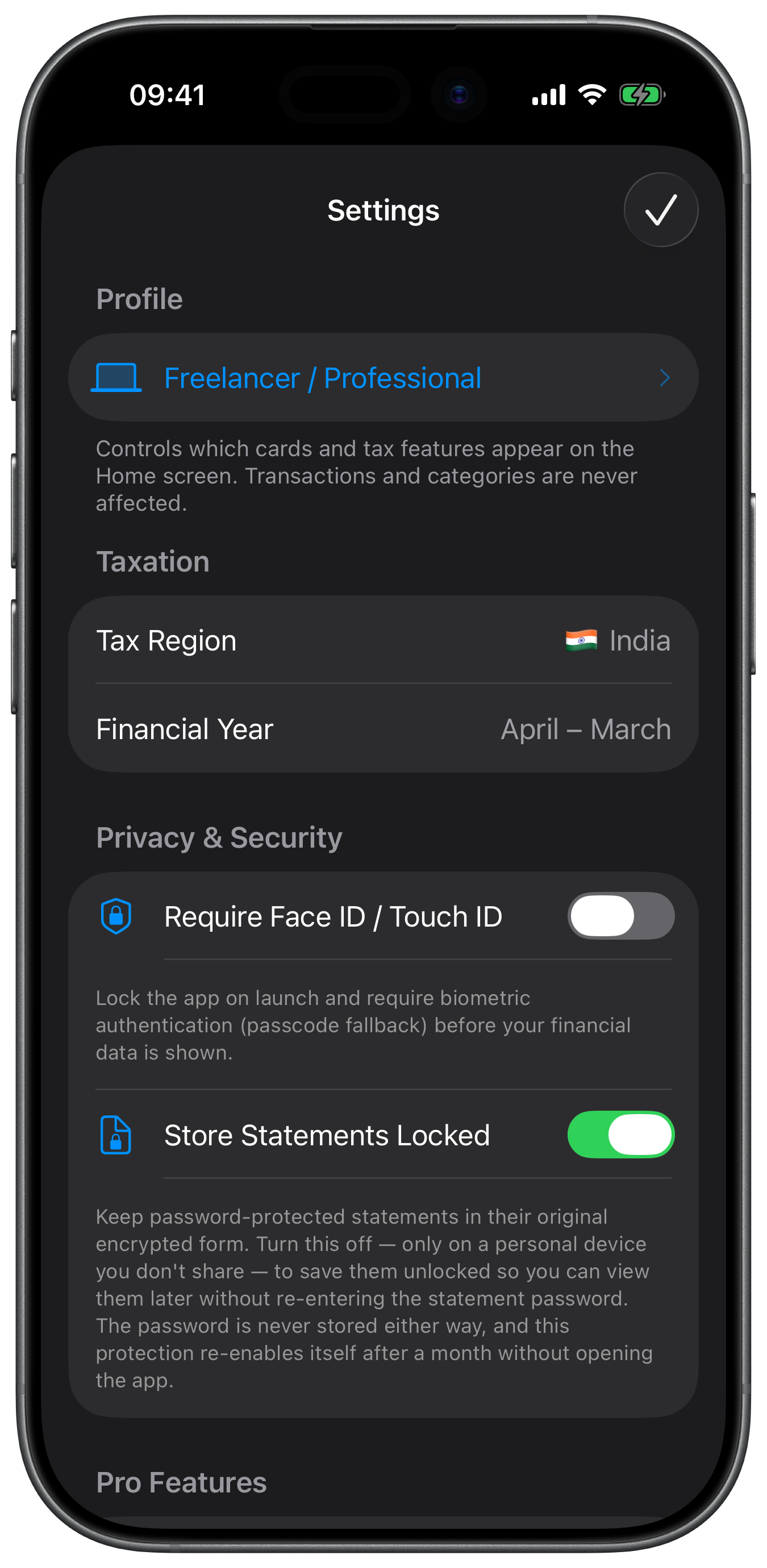
Optionally protect the whole app with Face ID or Touch ID and device-passcode fallback. The lock is off by default and re-engages after the app moves to the background; it is not a separate prompt on individual reports or exports.
Preserved Statement Controls
Imported source files can be kept beside their parsed records for later review. Password-protected PDFs stay locked by default; you can opt to preserve an unlocked copy without storing the password, remove only the stored file while keeping its transactions, or delete the whole statement.
Private iCloud Sync
PrivLedge Pro users can opt in to sync the SwiftData ledger through their own private CloudKit database. Sync is off by default, takes effect on the next launch, mirrors changes and deletions, and relies on Apple's encryption in transit and at rest; PrivLedge does not pre-encrypt the records before CloudKit. Preserved source-statement files are not included in this sync.
Profile
Freelance Pro and Salaried Employee Profiles
Choose Freelance Pro or Salaried Employee during setup and change it later in Settings. The selected profile controls the estimated-tax income basis and which profile-specific insights appear; there is no Hybrid profile.
Pro
One-Time Pro Upgrade
Import, manual categorization, reconciliation, and reports work without Pro. A single non-consumable purchase, with no subscription, unlocks on-device learning and Auto-Categorize plus optional private iCloud sync.